OBSBOT Meet SE for Head and Eye Tracking
Yes, the OBSBOT Meet SE works with the Beam Eye Tracker. It offers top-tier 1080p at 100fps performance in the $60 to $100 range, with a 78° field of view.
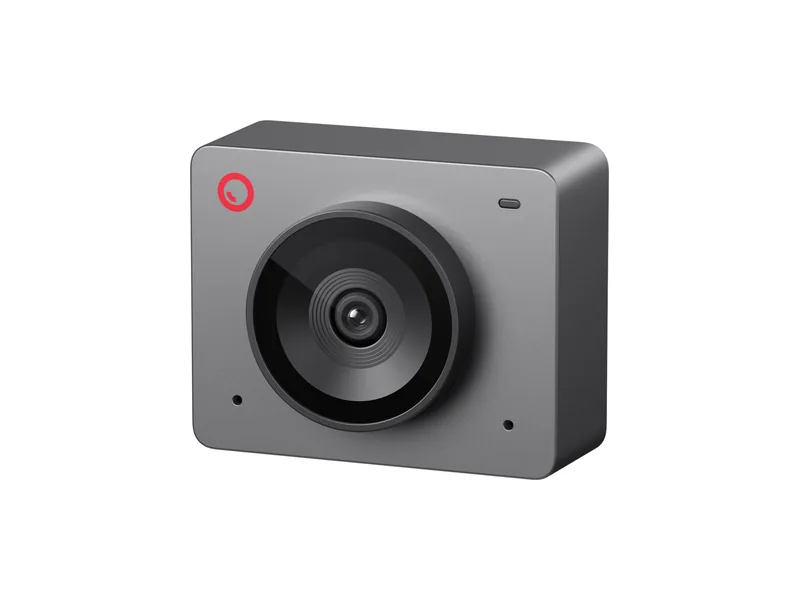
- Works with the Beam Eye Tracker
- Yes
- Setting to use
- 1080p 100fps
- Resolutions
- 1080p up to 100fps, 720p up to 150fps, 480p and 360p up to 30fps
- Field of view
- 78° diagonal
- Sensor
- 1/2.8" stacked CMOS, dual native ISO
- Focus
- Autofocus, manual focus in OBSBOT Center
- In the box
- Magnetic mount, privacy cover, USB-C cable and USB-A adapter
- Price tier
- $60 to $100
Thank you for supporting us through our affiliate links. As an Amazon Associate, we earn from qualifying purchases, at no extra cost to you.
What the community says
Why it suits head and eye tracking
-
Frame Rate
1080p at 100fps, top-tier performance at great value.
-
Narrow FOV
A 78° field of view, so your face fills enough of the picture.
-
Illumination Robustness
Its stacked sensor holds up well in a dim room.
-
Automatic Framing Off
Turn off AI framing in OBSBOT Center. It crops the picture to reframe you as you move, and that can throw off your calibration.
Best settings
-
Choose 1080p at 100fps
In the Beam Eye Tracker, open Tracker Settings and set the camera access to Exclusive. Then pick 1080p at 100fps under Resolution & Framerate.
-
Keep the picture still
In OBSBOT Center, turn off autofocus, AI framing and gesture control, so the camera does not refocus, zoom or pan while you play.
As a webcam
What it does well
- A sharp 1080p picture for its price, from a 1/2.8" sensor and an f/1.8 lens.
- Holds up well in dim rooms, and Staggered HDR (up to 1080p at 60fps) helps with a bright background.
- Tiny at 33 grams, with a magnetic mount, a 1/4" thread for a tripod and a privacy cover.
Where it falls short
- The built-in microphone is basic. A desk microphone sounds far better.
- AI framing works by digital zoom, so the picture gets a little softer when it zooms in.
- Gesture control is hit and miss, according to reviewers.
Questions about the OBSBOT Meet SE
Does the OBSBOT Meet SE work with the Beam Eye Tracker?
Yes. It is a standard USB webcam, so the Beam Eye Tracker sees it like any other. Install OBSBOT Center to turn off autofocus.
Should I use 1080p at 100fps or 720p at 150fps?
1080p at 100fps. It is the setting our support team recommends for this camera.
Do I need OBSBOT Center?
Yes, to turn off autofocus and AI framing, so the camera does not refocus or zoom while you play.
Does it do eye tracking or only head tracking?
Both. The Beam Eye Tracker reads your head and your eyes from the same webcam picture.
Is there a 4K version of the OBSBOT Meet SE?
Yes, the OBSBOT Meet 2, in the same $60 to $100 range. It looks almost the same, with a larger 1/2" sensor, and does 4K at 30fps and 1080p at 60fps. The Meet SE does 1080p at 100fps instead. Rule of thumb, from 1080p: max out the frame rate first, then raise the resolution.
Can I use the OBSBOT Meet SE for streaming or video calls at the same time?
Yes. With the camera access set to Shared in Tracker Settings, any other app can use the camera in parallel. With Exclusive, select Eyeware Camera, the virtual camera the Beam Eye Tracker creates, as the camera in the other app (OBS, Discord, a video call).